 Zal Interactive
Nebula
Compare lit and shadow density
Open Lit and Shadow Density.unity in the imported sample folder and enter Play mode. Nebula must already be enabled on the camera’s Universal Renderer.
The three views share a main light and matching geometry. Their profiles change the density multipliers:
- Neutral: light
1, shadow1. - Clear Shadows: light
2.5, shadow0.05. - Dense Shadows: light
0.4, shadow1.5.
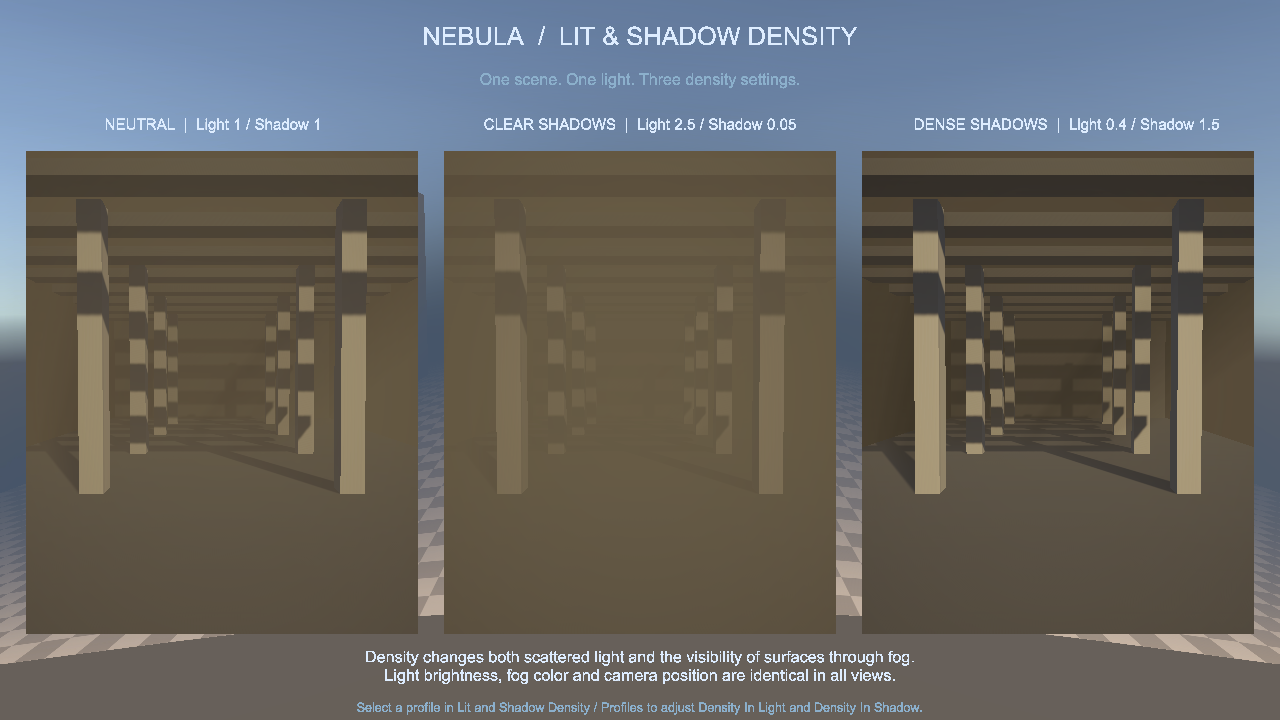
Figure 1
Compare visibility through the lit shafts and the spaces between them. The controls multiply the composed fog density, including extinction, scattering, and emission. They do not increase or decrease the light itself.
These sample profiles use the default main-light density mode, which requires a participating main light. Nebula also offers Additional Light Density for point and spot lights; see “Separate lit and shadowed fog” in the main manual.
Edit a comparison profile
Exit Play mode, then select Profiles/Dense Shadows.asset in the imported sample. Change Density In Light or Density In Shadow in its Volumetric Lighting override. Keep the left override checkbox enabled beside both parameters.
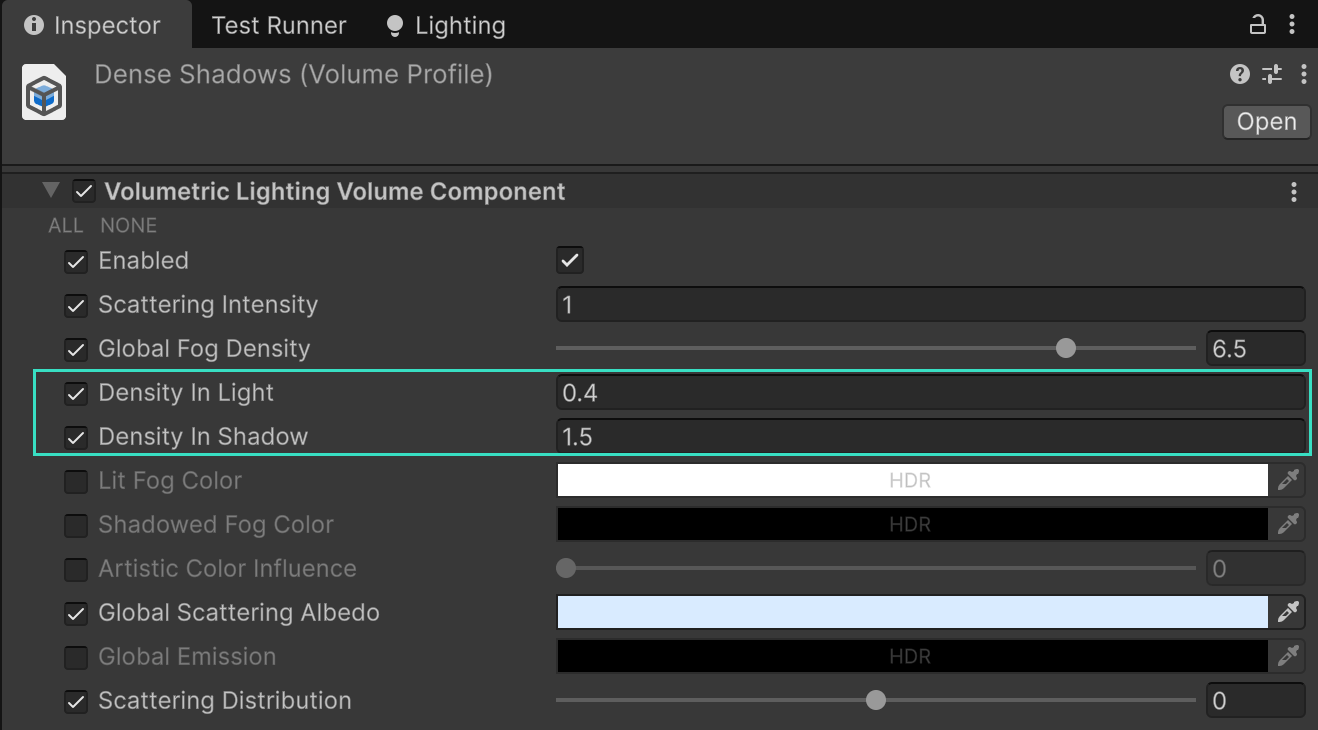
Figure 2
The pictured values are 0.4 and 1.5. Increase the shadow multiplier to obscure more of the scene in main-light shadows, or set it to 0 to remove fog there.
The other editable profiles are Profiles/Neutral.asset and Profiles/Clear Shadows.asset. Each comparison view uses its own profile, so editing one leaves the others available as references.
Keep the scene’s geometry and light unchanged while comparing these controls. Soft shadow edges and cookie coverage interpolate the multipliers. If no difference appears, check that the main light participates in Nebula and that the intended profile is assigned.