 Zal Interactive
Nebula
View an authored fog palette
Open Lit and Shadow Colors.unity in the imported sample folder and enter Play mode. Nebula must already be enabled on the camera’s Universal Renderer.
The scene starts with the Full profile: a warm lit color and a cool shadowed color at full artistic influence. Main-light shadow and cookie visibility choose the mixture at each fog sample.
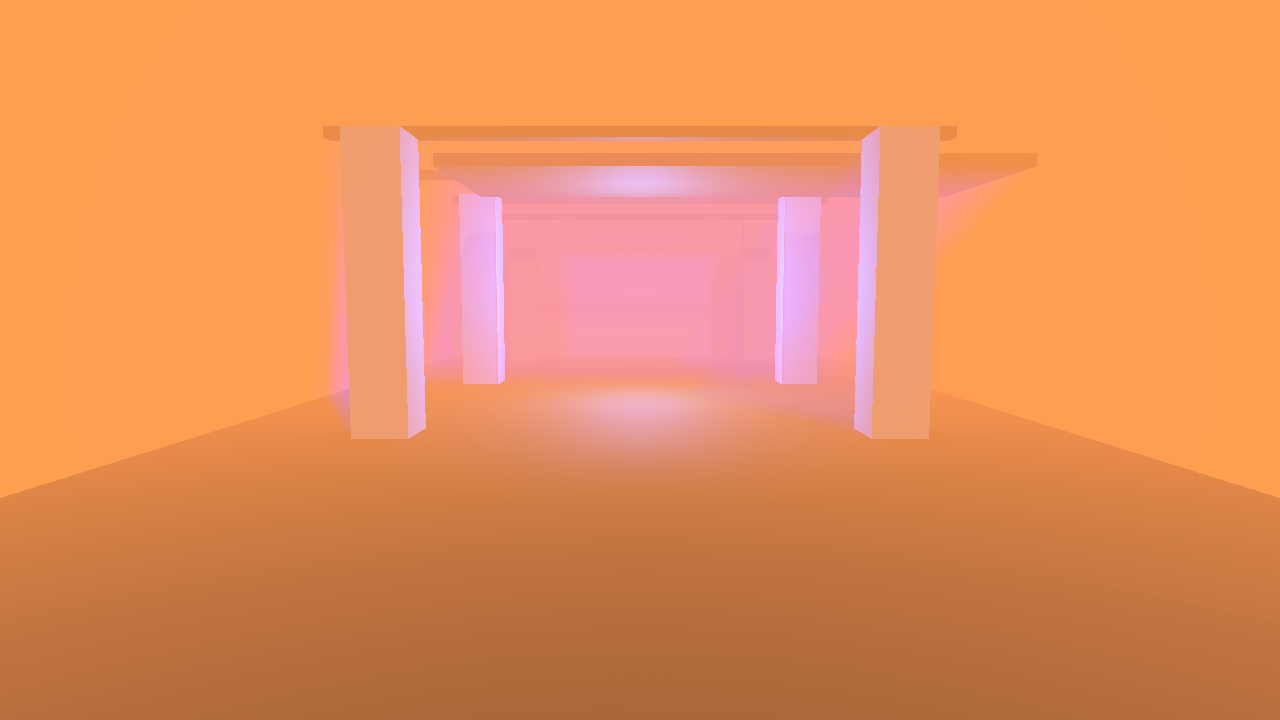
Figure 1
At full influence, the palette replaces incoming fog lighting, including additional-light contributions. It still multiplies the medium’s scattering coefficient, so albedo and density affect the result.
The Cyan Emissive Local Fog object demonstrates a separate contribution: emission is not replaced by the artistic palette. A participating main light is necessary for the lit/shadow coloring itself.
Adjust the color influence
Exit Play mode and select Profiles/Full.asset. Set Lit Fog Color and Shadowed Fog Color, then vary Artistic Color Influence between 0 and 1. Keep their override checkboxes enabled.
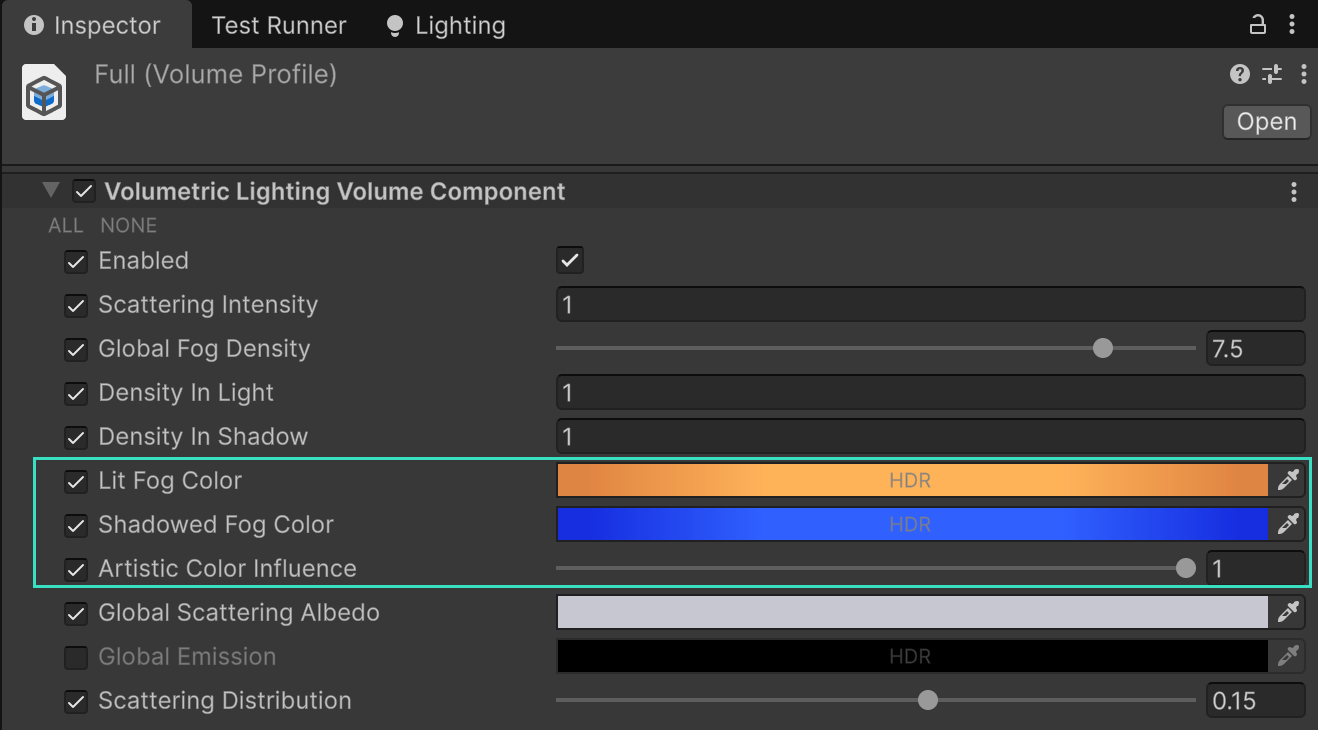
Figure 2
At 0, fog uses its usual incident lighting. At 0.5, it blends that lighting with the authored palette. At 1, the palette fully replaces incoming lighting. The HDR color controls ignore alpha.
The sample also contains Profiles/Neutral.asset at influence 0 and Profiles/Partial.asset at 0.5, ready for comparing those settings in your own scene.
For an abrupt scripted color or profile cut, call VolumetricLightingRendererFeature.ResetTemporalHistory(camera) before the next render. Smooth profile changes can use the existing temporal accumulation. See the scripting pages in Nebula’s main PDF for profile ownership and the reset API.