 Zal Interactive
Nebula
View a terrain-relative fog layer
Open Exponential Terrain Fog.unity in the imported sample folder and enter Play mode. Nebula must already be enabled on the camera’s Universal Renderer.
The fog layer follows the selected Terrain. Its full-density base is 2.5 world units above the terrain surface; density then falls to about 37% over the next 6 vertical units.
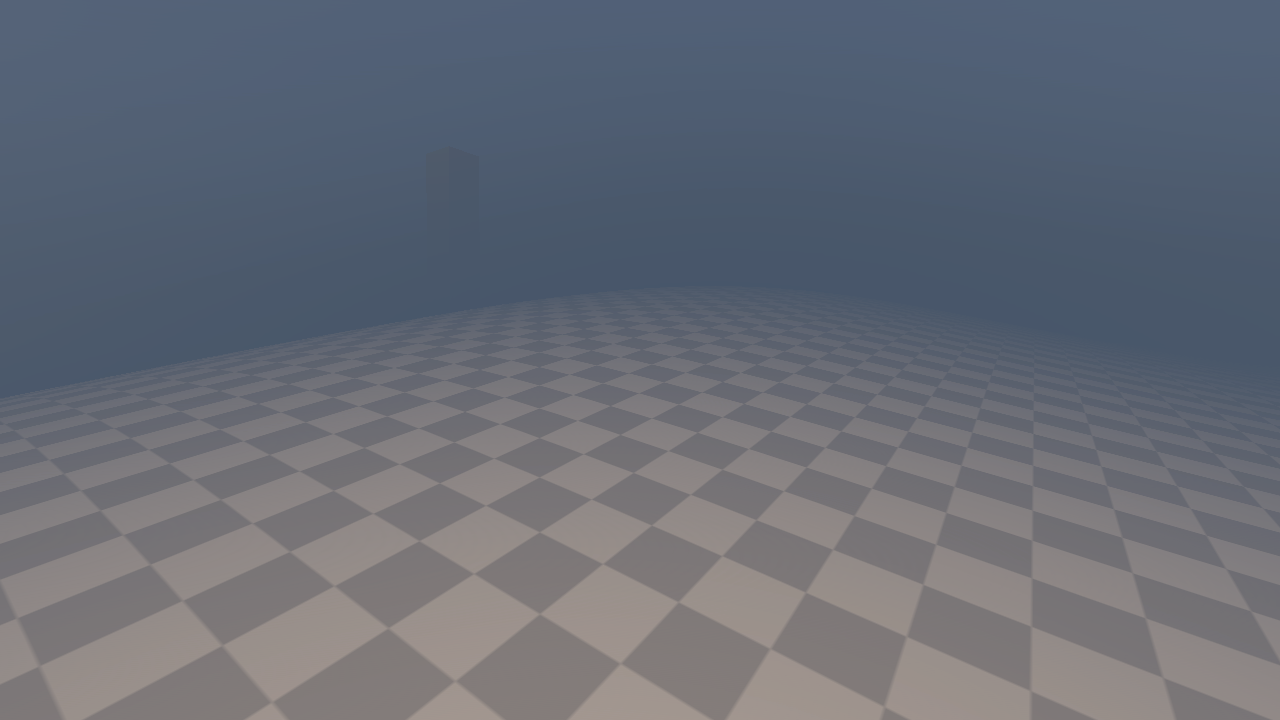
Figure 1
Inspect the terrain height field
Exit Play mode and select Nebula Terrain Height Field. The Terrains list explicitly contains the scene’s Terrain, and Resolution is Resolution 512.
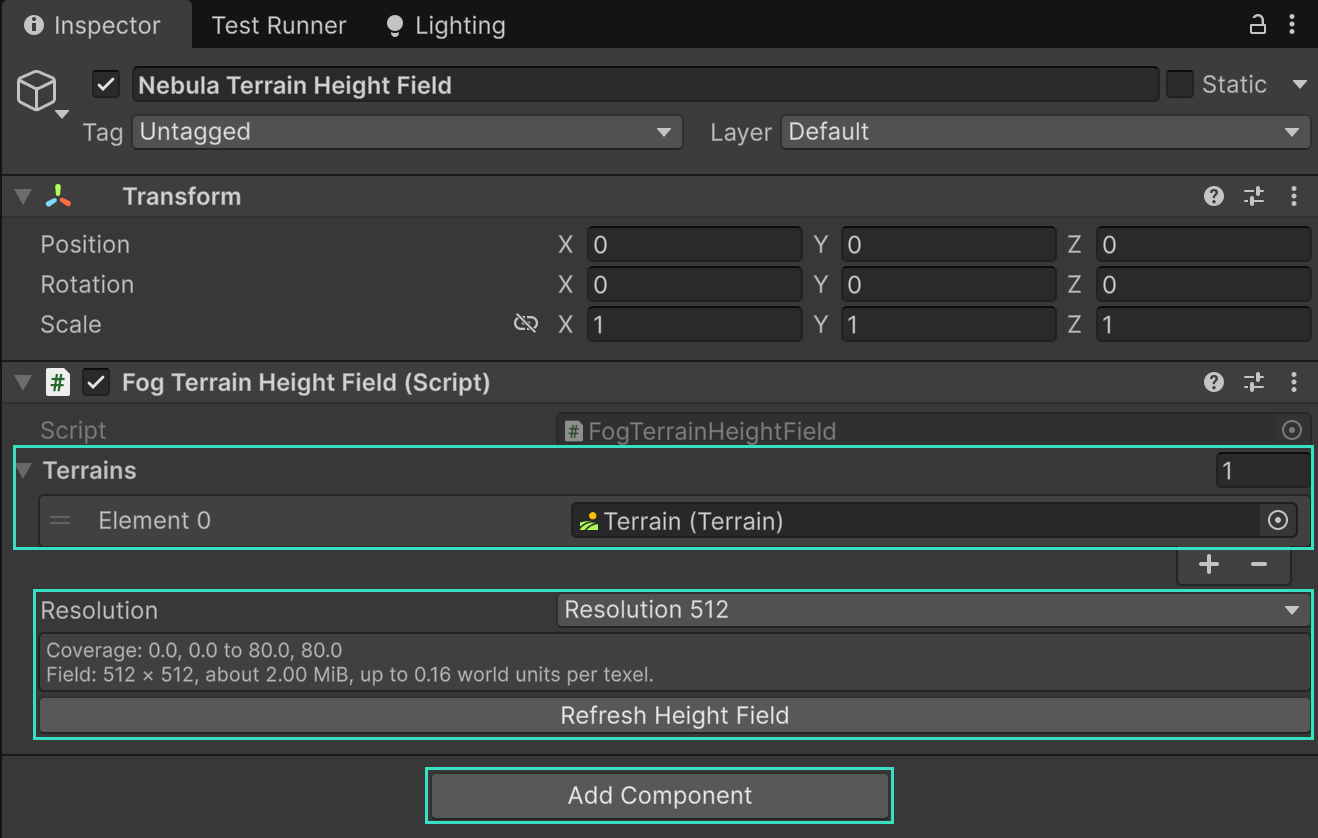
Figure 2
The coverage readout reports a 512 × 512 field over an 80 × 80 world-unit area, about 2 MiB. The provider’s default for a newly added component is Resolution 1024.
Change the layer above ground
Select Profiles/Exponential Terrain Fog.asset. In the height section, keep Height Profile > Exponential and Height Reference > Terrain. Change Fog Base Height to lift the full-density layer, or increase Attenuation Distance for a gentler falloff.
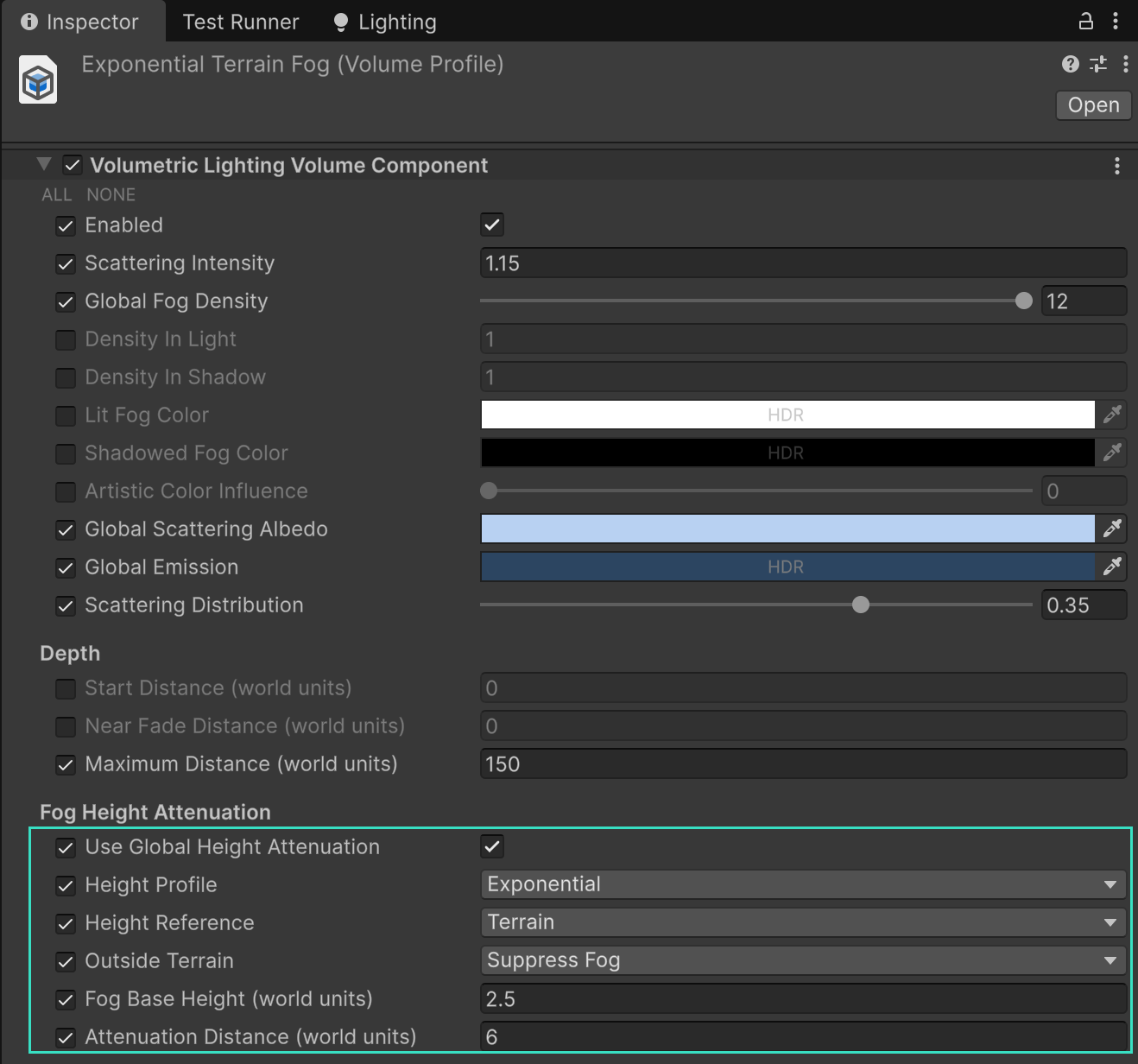
Figure 3
Outside Terrain > Suppress Fog clears this contribution outside selected terrain and over holes. Choose Use World Height if the same profile should continue there using world height.
Valid terrain excludes all fog below its surface, even with a negative base offset. For adjacent tiles, extend the provider’s Terrains list. Keep only one provider enabled and use axis-aligned, unscaled Terrain tiles.